Key takeaways
- Base clock: A guaranteed reference speed under defined power and cooling conditions. It is not the speed your CPU will necessarily use while gaming.
- Boost clock: A short- or light-load maximum reached when temperature, power, and workload allow. Individual cores may reach this speed, but all cores will not always run there.
The best CPU speed for gaming in 2026 is roughly 4.5–5.5 GHz on a modern processor, but six fast cores are usually more important than a higher advertised boost number.
For most gaming PCs, a current six-core CPU with strong single-thread performance is the sensible starting point. Choose eight cores if you stream, run demanding background applications, play simulation games, or want more headroom for future titles. At 1440p, the graphics card usually matters more than CPU speed; at 1080p and high refresh rates, the processor has a much larger effect on frame rates and frame-time consistency.
Our top picks
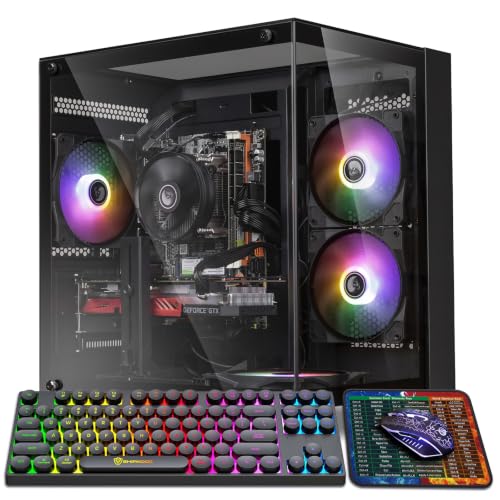

As an Amazon Associate we earn from qualifying purchases at no extra cost to you. Ratings are shown as listed on Amazon.
What “CPU speed” actually means for gaming
CPU speed is measured in gigahertz (GHz), or billions of clock cycles per second. A processor advertised with a 5.0 GHz boost clock is not automatically faster than another chip rated at 4.8 GHz. Performance also depends on architecture, instructions completed per clock, cache, memory latency, power limits, and how many cores the game can use.
There are two clock speeds to understand:
- Base clock: A guaranteed reference speed under defined power and cooling conditions. It is not the speed your CPU will necessarily use while gaming.
- Boost clock: A short- or light-load maximum reached when temperature, power, and workload allow. Individual cores may reach this speed, but all cores will not always run there.
For a gaming purchase, compare CPUs within the same generation and class rather than choosing solely by the largest GHz figure. A newer 4.8 GHz processor can outperform an older 5.2 GHz model because it does more work per clock cycle.
Ideal CPU specifications by gaming resolution
| Gaming situation | Practical CPU target | Useful clock-speed range | Recommended core count | Main limitation |
|---|---|---|---|---|
| 1080p, 60–100 fps | Modern entry-level desktop CPU | About 4.0–5.0 GHz boost | 6 cores / 12 threads | Usually the graphics card |
| 1080p, 144–240 Hz | Fast mid-range CPU with strong single-core performance | About 4.8–5.5 GHz boost | 6–8 cores / 12–16 threads | CPU frame times and game engine limits |
| 1440p, 60–165 fps | Modern six-core or eight-core CPU | About 4.5–5.5 GHz boost | 6 cores is sufficient; 8 adds headroom | Usually the graphics card |
| 1440p, 165–240 Hz | High-performance gaming CPU | About 5.0–5.7 GHz boost | 6–8 cores / 12–16 threads | GPU, CPU frame times, or both |
| Simulation, strategy, or MMO gaming | High-performing CPU with large cache or strong per-core speed | About 4.5–5.5 GHz boost | 8 cores preferred | Game-engine simulation work |
These are buying guidelines, not minimum requirements. Many games run well on less powerful hardware, while competitive players seeking very high frame rates may benefit from more expensive processors.
1080p versus 1440p: where CPU speed matters most
At 1080p, the graphics card has fewer pixels to render than it does at 1440p. That can leave the CPU responsible for preparing frames quickly enough to keep a high-refresh monitor busy. A faster CPU can therefore improve average frame rates and, more importantly, 1% low frame rates—the slower moments that affect perceived smoothness.
This is especially noticeable in competitive games, large multiplayer maps, busy city builders, and simulation titles. If a 1080p system produces 180 frames per second but the CPU cannot prepare frames consistently, gameplay may feel less smooth than the average number suggests.
At 1440p, the graphics card generally performs more rendering work. Upgrading from a six-core to an eight-core CPU may produce little improvement when the GPU is already operating at close to full utilization. Spend more on the graphics card first unless you are targeting very high refresh rates or playing a CPU-heavy game.
How to recognize a CPU bottleneck
A bottleneck occurs when one component limits the performance of another. It is not a permanent defect or a fixed percentage; it changes with resolution, graphics settings, frame-rate targets, and the game.
- Likely CPU-limited: The GPU is well below full utilization, one or more CPU cores are heavily loaded, and lowering resolution produces little frame-rate improvement.
- Likely GPU-limited: The graphics card stays near full utilization, and lowering resolution or graphics quality substantially increases frame rate.
- Likely memory or software-limited: Frame rates vary with background tasks, system memory is nearly full, or stuttering remains after both CPU and GPU loads appear moderate.
Use an overlay that shows GPU utilization, per-core CPU activity, temperatures, frame time, and memory usage. Overall CPU usage can be misleading: a game may use only 40% of a 16-core processor while one important core is saturated.
Six cores or eight cores for a gaming PC?
Six cores: the value choice
A modern six-core processor with 12 threads is enough for most 1080p and 1440p gaming builds. It offers strong value, lower power consumption, and usually leaves more of the budget for the graphics card. For a typical gaming-only PC, this is the sensible baseline.
Examples of the type of processor to consider include a current mainstream six-core desktop chip, such as an AMD Ryzen 5-class processor or an Intel Core 5-class processor. Compare independent gaming benchmarks for the exact models because model names and generations differ considerably.
Eight cores: the flexible choice
Eight cores are worthwhile when you stream from the same PC, record gameplay, edit video, compile software, run virtual machines, or keep numerous applications open while gaming. They can also improve consistency in some newer games and provide additional room for future software.
Eight cores are not automatically faster in games than six. If two processors use the same architecture and have similar cache and clock behavior, the six-core model may deliver nearly identical gaming performance.
More than eight cores: specialist territory
Ten, twelve, or more cores make sense for heavy productivity workloads, not simply because a game lists a large recommended processor. Most games do not scale perfectly across every available core. A high-end processor with more cores can be excellent for mixed work, but it is often a poor gaming-value choice if it requires downgrading the graphics card.
CPU recommendations by budget and target
| Approximate CPU budget | Best fit | Typical system target | Trade-off |
|---|---|---|---|
| $100–$180 | Modern six-core entry or lower-mid-range CPU | 1080p at 60–144 fps | Less headroom for streaming and demanding simulation |
| $180–$300 | Fast six-core or value eight-core CPU | 1080p high refresh or 1440p gaming | Usually the best balance for a new gaming PC |
| $300–$500 | High-end gaming CPU or gaming-focused chip with large cache | High-refresh 1080p and 1440p | Diminishing returns unless paired with a powerful GPU |
| $500 or more | High-core-count enthusiast processor | Gaming plus demanding professional workloads | Often poor gaming value alone |
These are broad processor price ranges rather than fixed recommendations; retailer pricing, platform bundles, and regional availability change frequently. Remember to include the cost of a compatible motherboard, memory, and cooler.
Do you need a special gaming CPU?
Some gaming-focused processors use unusually large cache to reduce the time the CPU spends waiting for game data. They can be particularly effective in CPU-limited games, but their advantage varies by title and resolution. At 1440p with a mid-range graphics card, a less expensive processor may deliver nearly the same experience because the GPU becomes the limiting component.
Choose a cache-heavy gaming model when you are building around a powerful graphics card, targeting a high refresh rate, or playing games known to benefit from additional cache. Otherwise, a mainstream six-core or eight-core processor may provide better overall value.
Cooling, memory, and platform costs matter
A processor cannot sustain high boost behavior if its cooler is inadequate. A reliable tower air cooler is sufficient for many mainstream CPUs; higher-power models may need a larger tower cooler or a quality liquid cooler. Check the manufacturer’s power and cooling guidance rather than assuming the stock cooler is enough.
Use the memory type supported by the chosen platform and enable its approved memory profile in firmware after assembly. Slow or incorrectly configured memory can reduce performance and cause inconsistent frame times, particularly in CPU-limited games. Also check motherboard support, socket compatibility, BIOS requirements, and upgrade options before buying.
The best answer for most buyers
For a new 1080p gaming PC, buy a modern six-core processor with strong per-core performance and a boost speed around 4.8 GHz or higher when available at a reasonable price. For 1440p gaming, keep the six-core option unless you stream, multitask heavily, play CPU-intensive simulations, or want a high-refresh setup; then step up to a fast eight-core model.
Do not pay extra for a higher GHz label alone. Put the budget where the bottleneck will actually be: the graphics card for most 1440p systems, and the CPU for very high-refresh 1080p systems. That approach delivers smoother gaming without spending on cores or clock speed the workload cannot use.